
A PC can get more expensive without its price tag changing. The laptop advertised at the familiar price may now have less memory, a smaller SSD or a weaker promotion. Conversely, a clearance machine can remain a good deal while the chips going into its replacement become more expensive. That is why a memory-shortage headline is useful context, but a poor substitute for reading a configuration sheet.
The pressure is real in the latest available supplier and market-research evidence. It is also uneven. This article separates what has been reported in October from forecasts about the rest of 2026 and beyond, then follows the costs from the memory factory to the US buyer. It is a sourced market explainer, not a hands-on product test or a nationwide survey of checkout prices.
What the current evidence actually says
On September 30, TrendForce projected fourth-quarter conventional DRAM contract-price increases of 10–15% from the previous quarter and NAND flash increases of 15–20%. Its explanation was not a sudden consumer-PC buying frenzy. Suppliers were prioritizing advanced-process capacity for server products, while enterprise SSD demand was strengthening even as consumer demand remained weak. TrendForce said notebook inventories were increasingly reflecting higher component costs and warned that PC DRAM supply could decline in 2027 as more capacity shifted toward servers.
There is an important timing limit: the fourth quarter was not finished when this article was published on October 26. Those percentage ranges are forecasts, not a completed-quarter measurement. They also cover broad component categories; the conventional DRAM range is not a PC-only number, and the NAND range is not a promised increase on a particular consumer SSD.
A separate October 21 TrendForce spot-market update reported tight DDR5 supply, with some buyers unable to secure allocation despite offering higher prices. Yet NAND spot trading was subdued, and its quoted average for 512Gb TLC wafers fell 1.28% that week. Rising contract expectations and softer spot quotations can coexist. They describe different transactions, not a contradiction that cancels the shortage.
There is also evidence closer to finished PCs. Gartner's October 12 preliminary assessment put worldwide third-quarter shipments at 55.4 million units, down 22.4% year over year, and said vendors had passed higher memory and storage costs to customers while prioritizing higher-priced configurations. That is an analyst's preliminary global shipment assessment and account of pricing behavior—not a measured 22.4% price change, a final full-year result or a US retail-price index.
TrendForce — fourth-quarter DRAM and NAND contract-price forecast (September 30, 2026)
TrendForce — DDR5, DDR4 and NAND spot-market update (October 21, 2026)
Gartner — preliminary Q3 PC shipments and component-cost pass-through (October 12, 2026)
RAM, storage and HBM are not interchangeable
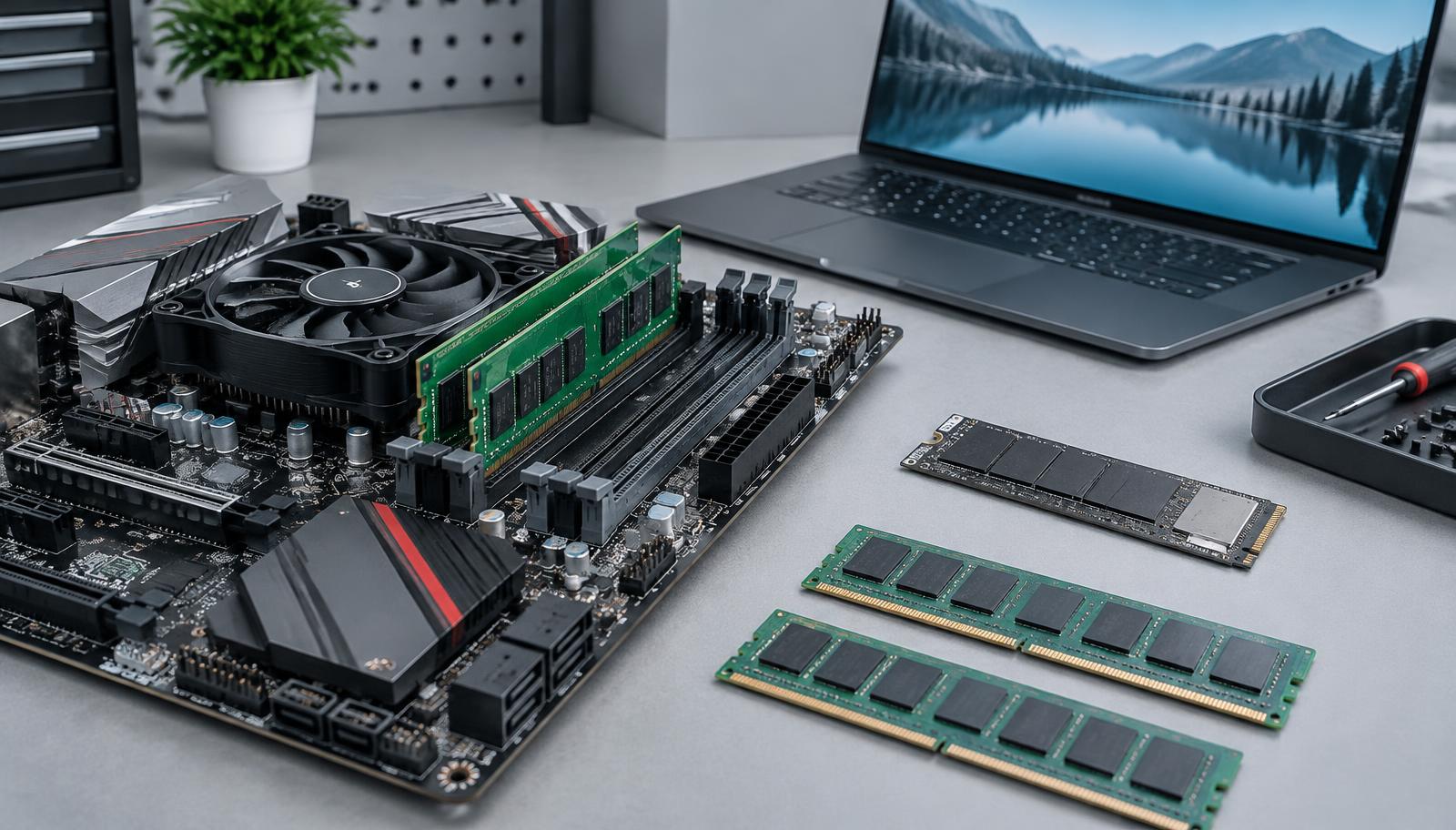
DRAM is working memory: the space a PC uses for active programs and data. DDR4 and DDR5 are generations of that technology used in many desktops and laptops. Other laptops use low-power DRAM, often attached directly to the board or integrated into a more tightly coupled memory design. Losing power clears ordinary DRAM; it is not where your documents stay.
NAND flash is the persistent storage inside an SSD. Buying a larger SSD can give you more room for files, but it does not fix a shortage of working memory. When a computer runs out of RAM, the operating system may move data to storage. That helps it continue working, but storage is not a performance-equivalent replacement for RAM.
High-bandwidth memory, or HBM, is stacked DRAM used alongside demanding processors such as AI accelerators. A desktop DIMM cannot be installed in an HBM package, and an HBM stack is not a laptop upgrade. The link is upstream: these products compete for parts of suppliers' investment, fabrication resources and engineering attention. NAND has a separate production process and its own enterprise-storage demand; it is misleading to say that every SSD wafer is simply being converted into HBM.
How the AI buildout reaches a home computer
An AI data center needs more than accelerator memory. It also needs conventional server DRAM to feed processors and persistent storage for datasets, model files, checkpoints and the surrounding applications. The demand reaches multiple memory categories at once. That matters because PC makers are buying from an industry with other customers willing to commit large volumes over long periods.
Micron's September 30 fiscal fourth-quarter prepared remarks provide a supplier's view of that competition. The company said it had completed agreements for the vast majority of its calendar-2027 HBM bit supply, with significant year-over-year price increases. It also expected industry HBM bit shipments to grow faster than conventional DRAM through calendar 2028. These are Micron's disclosures and expectations, not a statement that every manufacturer's capacity is sold out.
The effect is not that a server company purchases the exact RAM kit you were about to buy. It is that a supplier choosing where to put its next unit of capacity has attractive server and accelerator orders to consider. More total memory production can therefore coexist with scarce PC memory: what matters is the mix of products being made, not just the industry's total bits.
Micron — fiscal Q4 2026 prepared remarks, supply agreements and market outlook
DailyTech — How the AI boom is affecting technology costs and financial markets
A component increase is not a matching PC-price increase
A finished computer includes a processor, display, battery or power supply, board, enclosure, software, assembly, distribution and warranty support. Memory is one part of that bill. Even if a memory category rises sharply, applying the same percentage to the entire PC overstates the direct cost effect.
Consider an illustration, not a measured bill of materials: if a hypothetical $1,000 computer contains $100 of memory and storage inputs, a 20% increase in those inputs adds $20. If the seller passes through exactly that amount and changes nothing else, the retail price becomes $1,020, a 2% increase. The calculation is $100 × 0.20 = $20, then $20 ÷ $1,000 = 0.02. Actual component shares, contracts, margins and price-setting decisions differ.
Manufacturers can absorb costs, raise prices, change configurations or reduce discounts. Retailers can sell older inventory at its original price or run promotions to clear it. That creates a lag between chip-market changes and the shelf. It also means average selling prices can rise because buyers are choosing more premium machines, not solely because an identical PC became more expensive.
Contract prices, spot prices and checkout prices answer different questions
Contract prices describe negotiated supply, commonly relevant to large manufacturers. Spot prices describe more immediate transactions in particular chips, wafers or modules. A retail RAM kit adds module assembly, testing, distribution, branding and seller margins. None of these series can be substituted for the others without explanation.
The October spot report is a useful example. A weekly decline in a NAND wafer quotation does not guarantee that a US retailer's finished SSD will get cheaper that week. Equally, a double-digit forecast for NAND contract prices does not establish that every SSD on an American shelf has already increased by that amount.
For a purchasing decision, record the actual delivered price of the same product or configuration on more than one date. For a market claim, identify the category, transaction type and measurement period. 'Memory prices are up' leaves all three unanswered.
DDR4 is not automatically the cheap escape route
Older technology is not guaranteed to get cheaper forever. If production shifts toward newer or more profitable products while installed systems still need older parts, a mature generation can become inconveniently scarce. The October 21 TrendForce update found subdued DDR4 trading even as its mainstream-chip average rose 0.84% that week. That is a narrower observation than saying all DDR4 kits are unavailable or that all DDR4 prices move together.
For an existing desktop, check the motherboard's supported memory generation, maximum capacity, slot layout and qualified-module guidance before ordering. DDR4 and DDR5 modules are not drop-in substitutes. A low price on the wrong generation is not a saving. Laptop form factors and low-power memory designs add further compatibility differences.
For a new build, compare the complete platform cost. A cheaper memory kit can be outweighed by the processor, motherboard or future upgrade constraints. For an old machine, compare the upgrade with the remaining useful life of the system rather than assuming an older part must be the economical choice.
The least visible price increase is a smaller configuration
Watch the line below the headline price. Two apparently similar laptops can differ in RAM capacity, memory speed, SSD capacity, panel quality and whether storage is replaceable. A stable starting price means little if the configuration you need moves into a more expensive tier. This is a mechanism buyers should check for, not a claim that every manufacturer has reduced its specifications.
For a fair comparison, record the exact model or order code, processor, RAM, SSD, display, warranty and included services. Then compare the delivered price, including applicable sales tax, shipping and required add-ons. US sales-tax treatment depends on location; a pre-tax advertisement is not necessarily your final expense.
Do not assume that a configurator's memory-upgrade charge equals the manufacturer's chip cost. The charge can reflect product positioning, margins and bundled features. It is still part of your real purchase price, but it does not by itself quantify the shortage.
Choose memory for the workload, not the shortage headline
Before buying more RAM, look at what the current machine actually does under a normal busy workload. Open the browser tabs, conferencing software, documents and specialist applications you use together, then inspect the operating system's memory usage and paging behavior. Slow performance can also come from a processor, a full or failing drive, background tasks or heat; buying RAM solves only the problems that RAM causes.
As a practical starting point rather than a universal requirement, 16GB can suit many general-purpose workflows, while 32GB may give more room for heavier multitasking, development and creative work. Virtual machines, large datasets and local AI models can require substantially more. A light-use device may need less. Application guidance and measured workload needs should decide the final configuration.
Microsoft's Copilot+ PC documentation lists 16GB of DDR5 or LPDDR5 memory and 256GB of storage among the category requirements, alongside its processor and NPU requirements. That is an eligibility threshold, not a guarantee that 16GB is enough for every task or that a Copilot+ badge resolves memory pressure. Local text-generation models have their own capacity and bandwidth needs.
Microsoft — Copilot+ PCs and system requirements
DailyTech — Open AI text generators and running models locally
Upgradeable memory changes the buying calculation
A machine with accessible memory slots can separate the decision to buy a PC from the decision to install more RAM. A soldered or otherwise non-upgradeable design makes the initial capacity choice much harder to reverse. Neither architecture is automatically bad: compactness, power efficiency, bandwidth and serviceability involve trade-offs. The important point is to know which one you are buying.
Read the service manual for the exact model, not merely the product-family name. Check whether there are slots, whether they are already occupied, the maximum supported capacity and whether opening the machine requires a difficult disassembly. Ask the same questions about the SSD. A replaceable drive does not imply replaceable RAM.
A smaller starting configuration is only economical if it does the work today and the later upgrade is technically possible at an acceptable total cost. 'I'll add memory later' is not a plan when there is nowhere to add it.
Why a new factory does not mean immediate relief
Memory supply takes time to build, qualify and ramp. A factory announcement, construction milestone, first wafer and meaningful customer shipments are different events. Treating them as the same date creates false confidence about when prices should fall.
Micron's September prepared remarks said its first Idaho fab was on track for initial wafer output in mid-calendar 2027 and its second for late-calendar 2028. The company also said new DRAM and NAND facilities become more meaningful to supply a few quarters after initial output. Those dates are company targets, not guaranteed delivery dates or a timetable for cheaper consumer RAM.
More importantly, Micron expected memory and storage supply-demand conditions to be tighter in calendar 2027 and 2028 than in 2026 and said it did not have visibility into when DRAM supply and demand would return to balance. A supplier has commercial interests and forecasts can change. Still, the statement is a reason not to tell buyers that the shortage must end on a particular date.
IDC's June 2 outlook also expected memory shortages to persist through 2027, with meaningful relief not expected before the end of that year. It forecast an 11.3% decline in worldwide PC shipments in 2026. That earlier projection is useful context for procurement planning, but it must remain labeled as a forecast and should not replace later quarterly observations.
Micron — official September 30 earnings-call materials
Ars Technica — memory executives' shortage outlook (October 1, 2026)
Buy now or wait? Start with the cost of waiting
If the current computer is reliable, supported and adequately fast, there is no obligation to replace it because of a shortage headline. Watching actual prices for a defined configuration is more useful than stocking spare modules you may never need. If the machine is failing or delaying paid work, the cost of waiting can outweigh a possible future discount.
A real promotion can still be worthwhile in a tight market. Compare its final price with recent prices for the same specification, not only with a crossed-out reference price. Verify the seller, warranty, return window and delivery date before paying, especially for marketplace memory modules and refurbished PCs.
Older inventory and refurbished business systems can reduce the acquisition cost, but check battery condition, supported operating systems, firmware support, repair options and memory compatibility. Extending the life of a sound computer is different from saving money by operating an unsupported one. A memory upgrade cannot fix the latter problem.
What US small businesses should ask their supplier
For a fleet order, the risk is not only a higher per-machine price. An unavailable configuration can delay deployment, force inconsistent specifications or create extra support work. Request a written quote that identifies the configuration, delivery schedule, quote expiration and whether the stock or production allocation is confirmed.
Agree on substitution rules before placing the order. A supposedly equivalent laptop with less RAM, a smaller drive, a different warranty or non-upgradeable memory may not meet the same need. Define acceptable alternatives in terms of the workload and service requirements, not just the product name.
Prioritize replacements for unreliable, unsupported or genuinely constrained machines instead of applying an automatic age-based refresh to the whole fleet. Staged purchasing can spread timing risk; excessive precautionary inventory ties up cash and can leave the business holding obsolete specifications. Neither tactic guarantees a lower price.
The counterargument: weak demand can still produce bargains
Tight component supply does not make PC sellers immune to weak demand. TrendForce's September report explicitly described consumer-side pressure, and its October spot update reported subdued NAND trading. Retailers and manufacturers still have reasons to compete for customers, clear stock and protect market share.
Micron likewise said PC and mobile industry revenue remained on track to grow in calendar 2026 because of premium-market strength despite potential double-digit overall unit declines. That was Micron's market assessment, not a completed-year independent shipment count. It illustrates why higher revenue, fewer units and higher component costs can appear together.
The balanced conclusion is not 'everything will become unaffordable' or 'wait and prices will certainly crash.' It is that the cost base is under pressure, the pass-through is uneven, and a specific bargain can exist inside an unfavorable market. The purchase has to be evaluated at the level of the actual machine.
What to watch next, and what this reporting cannot establish
Watch later contract-price assessments, PC-specific supply allocation, manufacturer configuration changes, delivery lead times and actual like-for-like retail prices. Separate the first output from new factories from the volume they eventually ship. A useful improvement would be more readily available compatible modules and better-priced configurations, not merely a new capacity announcement.
The evidence here supports a memory supply squeeze and cost pressure on PCs. It does not establish one national PC-price inflation rate, a model-by-model bill of materials, or the date the shortage will end. Supplier statements contain forecasts and commercial incentives; research-firm assessments describe selected markets rather than every retail transaction. Tariffs, exchange rates, product launches and competitive decisions can also affect US PC prices and have not been isolated in this article.
For the buyer, the sensible response is precise rather than panicked: specify the memory and storage you need, confirm what can be upgraded, compare the same configuration at the final delivered price, and buy according to the work the computer must do. The scarce resource may be memory, but the avoidable expense is a purchase made without those checks.